


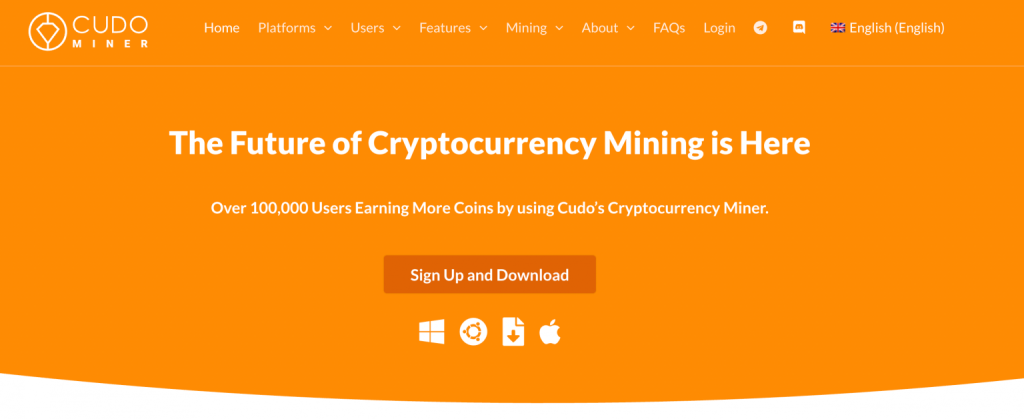
Owning compatible hardware is only the beginning. Choosing coins, configuring miners and keeping track of a machine can take more effort than the initial installation. Cudo Miner aims to simplify that work with automated mining and a remote management console.
That is its appeal for BitcoinLink readers: fewer manual decisions and a more accessible first experiment. However, our research also found inconsistencies in withdrawal documentation and an old public update history. We suggest exploring the service and confirming account conditions before committing hardware or accumulating rewards. This is a documentary review; we have not benchmarked a machine or completed a withdrawal.
What you get
Cudo Miner uses your own hardware. The brand describes CPU, GPU and selected ASIC workflows, but support must be checked for the exact model, operating system and drivers. Its automation selects coins and algorithms based on estimated profitability, while the console provides remote monitoring and configuration.
A “cloud” dashboard is not a cloud-mining contract. Opening an account does not supply an income-producing hosted machine. CudoOS and other Cudo products have different roles; Cudo Compute’s GPU services do not establish Cudo Miner’s performance.
BTC payouts can come from converting other mining rewards. They do not make a PC competitive at directly mining Bitcoin. Older references to Ethereum mining are outdated: Ethereum switched to proof of stake in September 2022.
Fees: the realistic starting rate
The public pricing page advertises a free download and a commission for automated mining. Rates use the previous 30 days’ production in BTC equivalent, recalculated daily.
| 30-day production | Published commission |
|---|---|
| Under 0.005 BTC | 6.5% |
| 0.005 to under 0.01 BTC | 5% |
| 0.01 to under 0.05 BTC | 4% |
| 0.05 to under 0.1 BTC | 3% |
| 0.1 to under 1 BTC | 2.5% |
| 1 to under 10 BTC | 2% |
| 10 BTC or more | 1.5% |
For a small setup, 6.5% is the relevant starting figure, rather than the advertised minimum. Published terms also mention a 0.4% conversion fee; confirm how it applies to your chosen coins and transactions. An advertised absence of the service’s own withdrawal fee does not rule out network or third-party costs.
You are paying for convenience. Compare it with the time saved and net results rather than judging the software by gross rewards alone.
Electricity still decides the outcome
Consider an illustration, not an earnings forecast: a 300-watt machine running all day consumes 7.2 kWh. At €0.20 per kWh, that costs €1.44. With €2 in gross rewards, a 6.5% commission leaves €1.87, or €0.43 after this electricity, before conversion, hardware and other costs.
Automatic switching does not remove those expenses. Measure actual power draw at the wall and observe several days. Prices, difficulty and interruptions change the outcome; heat, noise and access to your everyday computer matter too.
Withdrawals deserve a check before installation
The official pages reviewed disagree: a help article states 0.000767 BTC, while the getting-started guide gives 0.002 BTC equivalent. We cannot validate either as a universal current threshold. Check available payout coins, your account’s minimum, fees and the ability to withdraw.
Published terms dated March 2023 include restrictions connected to inactivity, balance and failing to reach the withdrawal minimum within 180 days of opening an account. They also state that rewards remain the operator’s property until withdrawal. Clarify these conditions first, particularly with low-output hardware.
The public update log we reviewed has visible entries through April 2022. This does not prove the software has stopped operating, but limits what we can say about current maintenance. The public login form is accessible; this does not establish mining or payout functionality. Recent user reports also raise support and withdrawal concerns, though we cannot verify individual cases.
A sensible first account
- Follow BitcoinLink’s official service button and confirm current hardware and system support.
- Inspect payout settings and obtain clarification where published withdrawal information conflicts.
- Enable two-factor authentication and store recovery codes safely.
- Use software from the official distribution channel and start with one machine. Investigate security alerts rather than disabling computer protection globally.
- Compare rewards with measured electricity and fees, then validate a first withdrawal when eligible.
Our verdict
Cudo Miner is worth examining if you already own compatible hardware and value automated management enough to pay its commission. We would be more cautious about buying equipment for it or using a machine unlikely to reach a payout minimum promptly.
Explore Cudo Miner to check what your setup can use today. Opening an account should lead to a controlled evaluation of functionality and payment conditions. Profitability remains something to measure, not something the software can promise.
Common questions
Is Cudo Miner free?
The download is advertised as free; automated mining carries a commission. Conversion and other costs can apply.
Does a PC mine Bitcoin directly?
BTC payouts can involve conversion. Competitive Bitcoin mining mainly uses specialist ASICs.
Is this cloud mining?
The software uses your equipment. A remote console does not itself provide rented hashpower.
What is the withdrawal minimum?
The reviewed pages conflict. Confirm the threshold for your account and payout coin before mining.
Is profit guaranteed?
No. Deduct electricity, commissions and other costs from actual rewards.
Did BitcoinLink test a payment?
No. This review is based on public documentation, without a hardware benchmark or completed withdrawal.
About affiliate links
BitcoinLink may earn a commission when you use certain links on this site. This helps fund our editorial work. It does not make a service suitable for everyone: our reviews cover its benefits, limitations and conditions to understand before signing up.